Version 9.6.18 of the documentation is not the most recent version. For up-to-date documentation, see the latest version.
Enabling the ECC REST API
This topic describes how to enable the ECC REST API on the server before it can be used.
less than a minute
The ECC REST API is disabled by default, and must be enabled on the server before it can be used. To enable the API:
- Start the ECC Administration Console.
- From the menu in the upper left, choose Server Properties.
- In the Server Properties dialog, select the
server.high-level.api.enabledfield and then click the Edit Property button. - Change the value to
True.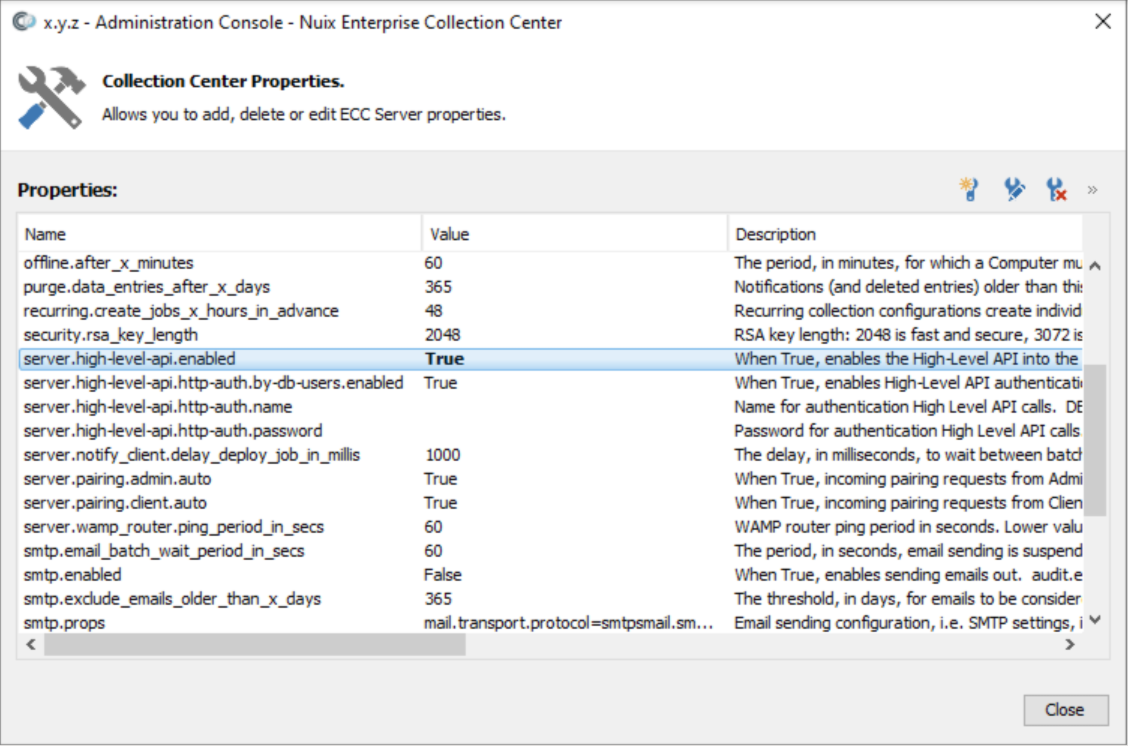
- Repeat the process to edit the
server.high-level-api.http-auth.by-db-users.enabledvalue and set it toTrueas well.
Feedback
Was this page helpful?
Thank you for your feedback.
Thank you for your feedback.